The best free reference manager, and the Zotero alternatives worth trying

Every reference manager on this list calls itself free, and each one means something
different by it. Zotero caps your sync storage and Mendeley caps your groups, while
JabRef never charges for anything but assumes you know what a .bib file is. Which
limit you hit depends on how you work, so it’s worth knowing where each one sits
before you put five years of reading into it.
Disclosure: I build one of the four, Milton. The prices and limits below come from each vendor’s own site in November 2026.
What you get without paying
| Zotero | Mendeley | JabRef | Milton | |
|---|---|---|---|---|
| References | Unlimited | Unlimited | Unlimited | Unlimited |
| PDF storage | 300 MB of sync, unlimited on your disk | 2 GB of sync | Your disk | Unlimited on your disk |
| Group work | Unlimited groups | 5 groups, 25 people each | Through a shared file | Paid plan |
| Word plugin | Yes | Yes | No | No |
| AI | Plugins with your own key | Paid (LeapSpace) | Your own key, in version 6 beta | Trial credits, then paid |
| Open source | Yes | No | Yes | No |
| Platforms | Mac, Windows, Linux, mobile | Mac, Windows, Linux, web | Mac, Windows, Linux | Mac, Windows, Linux |
Zotero
Zotero is free and open source, and it’s where I’d send most people first. Its browser connector is the best way to save a paper from a journal site, groups are free and unlimited, and every word processor has a plugin for it.
Where it runs out is sync storage. The 300 MB fills up after a few hundred PDFs and the next step is $20 a year for 2 GB, although you can keep PDFs on your own disk and sync only the metadata for free, at the cost of not having your papers on your other computer.
Mendeley
Mendeley gives you the most free sync storage, 2 GB, and in exchange you accept Elsevier’s direction for the product. So far that’s meant retiring Mendeley Desktop, pulling the mobile apps and, since November 2026, moving the AI features into a paid LeapSpace subscription. Groups top out at five, with 25 people each and 100 MB of shared space.
JabRef
If you write in LaTeX and want your library to be a .bib file you can open and read,
JabRef is the most honest tool there is: free, open source and built around BibTeX.
It’s also the least welcoming to anyone who’s never seen BibTeX, and it has no Word
plugin.
Version 6, still in beta, adds AI chat with your own API key.
Milton
Milton is the one I build, a reference manager for Mac, Windows and Linux. The free plan has no limit on references or PDF storage, because your library lives on your computer and nothing is copied to a server. You get the reader, notes, projects, collections, tags, smart filters and search across everything, plus a handful of trial AI credits.
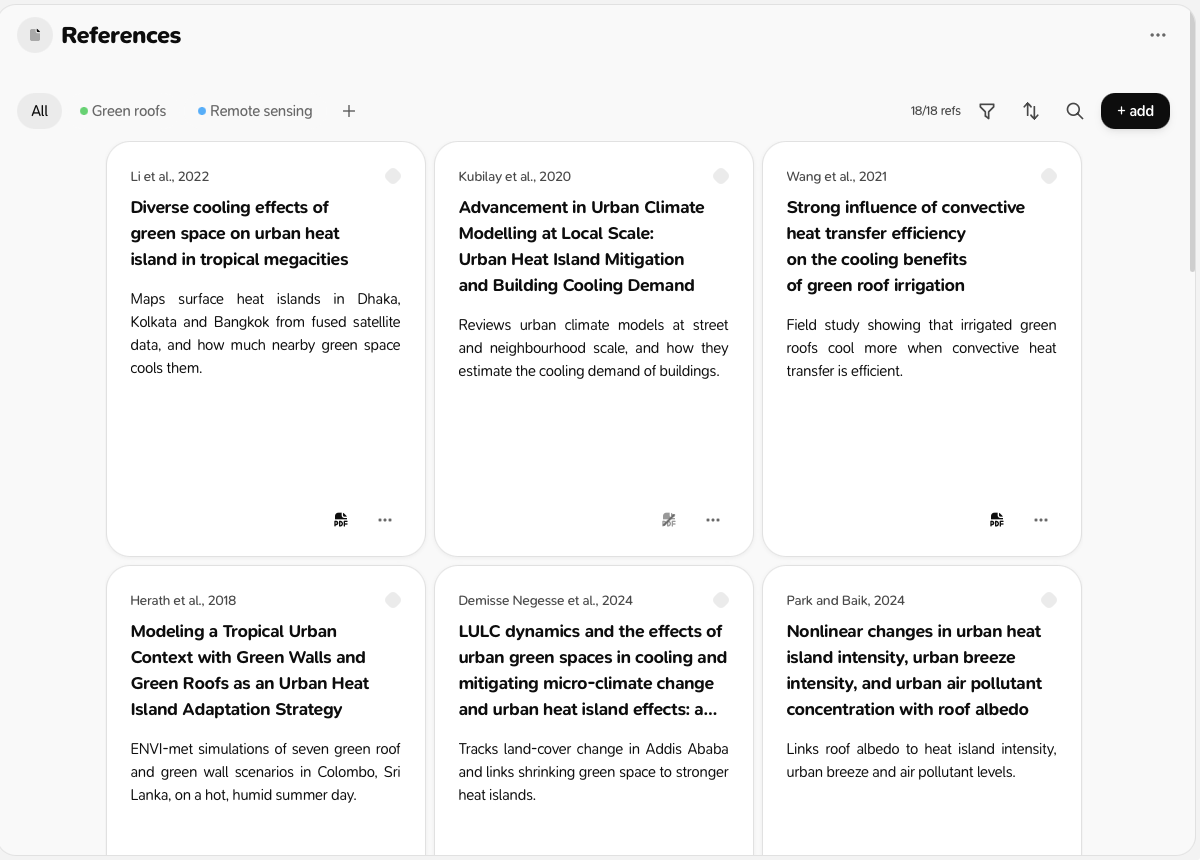
What you pay for is AI (asking questions of your library with cited answers, reading scanned PDFs), sync and backup between devices, and inviting co-authors. There’s no Word plugin. Bibliographies export in any CSL style or as BibTeX, and LaTeX manuscripts compile inside the app.
When it’s worth leaving Zotero
Zotero is good enough for a lot of people, and switching costs a weekend, so you want an actual reason. These are the usual ones:
- You keep running out of the 300 MB and don’t want to manage WebDAV.
- Your notes are scattered across items and you can’t find what you wrote.
- You want to ask questions across your library without setting up an API key for a plugin, which is the usual way to add AI to Zotero.
- You write in LaTeX with co-authors and you’re tired of emailing a
.bibfile back and forth.
If none of that sounds like you, stay on Zotero.
Moving your library
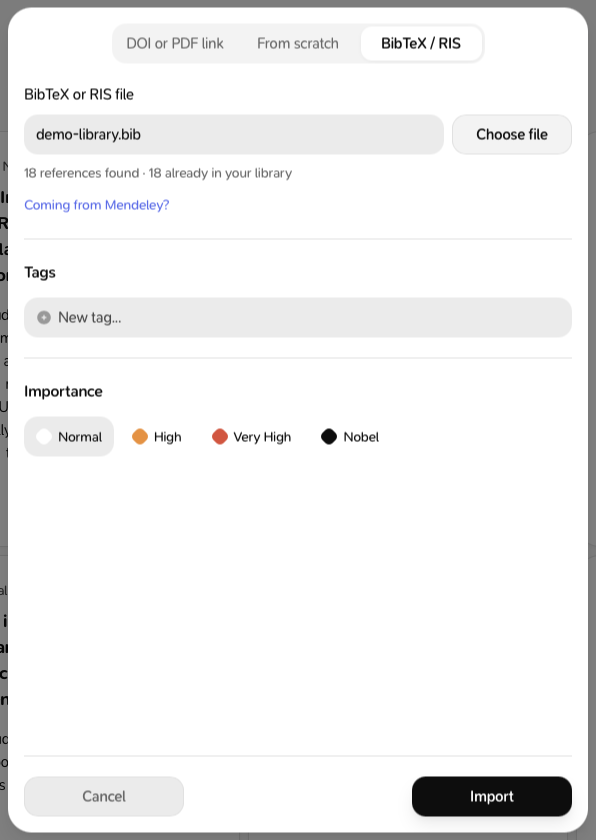
You don’t have to start over. Milton imports a Zotero library in one click, with collections, PDFs and highlights; from Mendeley, EndNote or JabRef you export a BibTeX or RIS file and import that. It matches duplicates, so importing the same file twice does no harm.
So which one?
An undergraduate writing in Word or Google Docs should use Zotero. It’s free, it has a plugin for both, and the library comes with you when you leave.
A PhD student with hundreds of papers to get through has a different problem. If what you mostly need is citations, Zotero’s still fine, but if the hard part is the reading and the notes, and you’d like to ask questions of everything you’ve read, try Milton.
LaTeX users who want a plain .bib file and nothing more will like JabRef. Milton
makes more sense once you also want notes, PDFs and co-authors in one place.
For a lab, Zotero groups work well as long as everyone writes their own papers. When several of you are writing the same manuscript, Milton’s paid plan lets you do it together in real time.
Questions people ask
What’s the best free reference manager? For most people, Zotero. It’s free, open source and supported everywhere.
Is Zotero completely free? The app is. Sync storage beyond 300 MB is paid.
Is Mendeley free? Yes, with 2 GB of storage, though its AI features are paid.
Is there a free alternative to EndNote? Zotero, JabRef and Milton are all free, and all of them import EndNote libraries through RIS.